Phishing-resistant multifactor authentication (MFA) can help colleges and universities protect sensitive data and reduce the risk of ransomware and other types of cyberattacks. For many higher education institutions, passwordless login can be achieved using the existing contactless cards or NFC credentials in combination with user PINs. This is an easy way to protect faculty and staff accounts and endpoint devices such as computers and printers.
Why ID + PIN?
ID + PIN meets emerging cybersecurity standards for phishing-resistant MFA, such as those recommended by the Cybersecurity & Infrastructure Security Agency (CISA). Phishing-resistant MFA solutions are those that reduce risks associated with phishing, social engineering and other forms of data interception. As sophisticated attacks have arisen to defeat common forms of MFA, such as one-time codes and push notifications, more secure forms are now recommended to secure high-value user accounts – such as faculty and staff accounts – and endpoint devices on the campus network.
MFA solutions utilizing contactless and NFC technology make it impossible for attackers to trick users into revealing their passwords. These solutions meet CISA and NIST standards for phishing-resistant MFA.
ID + PIN eliminates the most vulnerable element of user sign-in, the username and password combination. Instead of typing in login details, users simply tap their contactless card or mobile credential. The second authentication factor can be a simple user PIN or, in some cases, biometric authentication on the smartphone.
Here's how ID + PIN helps higher education institutions:
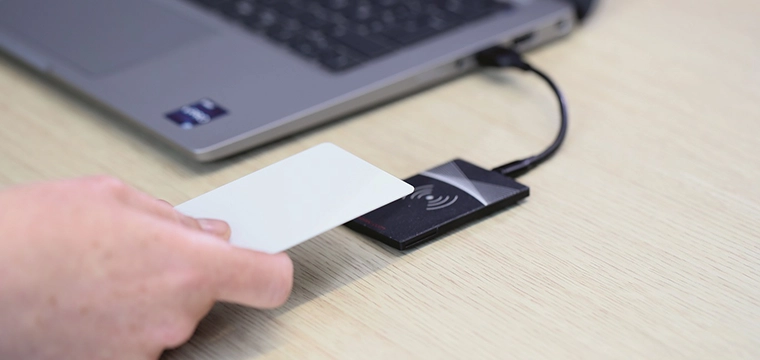
- Simplify device login: ID + PIN substantially speeds up the login process for users. Instead of typing a username and password and then checking their phone for a push notification or short-lived login code, users simply present their card or phone to a reader embedded in the computer or printer and enter a simple PIN.
- Improve device security and compliance: MFA solutions utilizing contactless and NFC technology make it impossible for attackers to trick users into revealing their passwords. These solutions meet CISA and NIST standards for phishing-resistant MFA and can help colleges and universities comply with ISO/IEC 27001 and data privacy regulations such as the Family Educational Rights and Privacy Act (FERPA) and the Gramm-Leach-Bliley Act (GLBA).
- Cost savings: ID + PIN improves productivity for both end users and campus IT by eliminating time lost to failed login attempts and password management. This can add up to substantial cost savings.
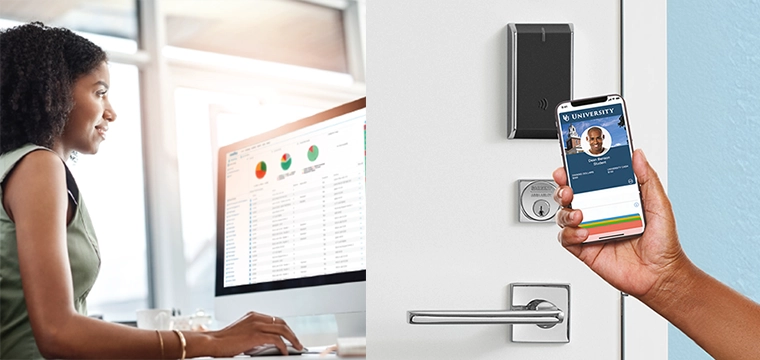
- Unify information security: A unified information security architecture is simpler for both users and campus IT to manage. Both networks and physical devices can use the same card/smartphone and PIN to enable access. For maximum convenience and easy administration, the system can leverage the same campus ID credentials already in place.
Five Steps for Implementing ID + PIN on Campus
ID + PIN is a simple MFA solution to implement. Here are a few steps and considerations.
- Decide which user groups and devices will be covered: A campus environment will usually have a mix of employees with university-provided computers and students using their own computers under a "bring your own device" policy. There may also be computer labs, multifunction printers, and other networked devices to consider. It may not be practical to implement phishing-resistant MFA on student-owned devices due to the necessity of providing a reader for each device. However, implementing secure passwordless login for faculty and staff accounts with higher access levels and thus greater security risks is easy to accomplish. Additionally, implementing the same solution on shared, university-owned computers, computer labs, and printers will significantly increase campus cybersecurity.
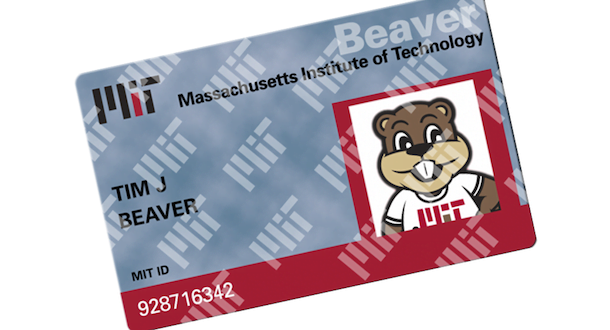
- Pick your authentication technology: Contactless cards, mobile credentials and physical security tokens can all be applied for secure, passwordless login and phishing-resistant MFA. If users already carry a modern campus ID, the same card or mobile credential can be leveraged for device and network login. This eliminates the need for additional token provisioning by IT and means that faculty, staff and students don't have to carry anything extra. With the right reader, it is possible to set up a system that uses both forms of authentication – for example, ID badges for faculty and staff and mobile credentials for students.
- Choose the right reader: The endpoint reader can be attached to or embedded in a computer or printer for authentication purposes. There are more than 60 contactless and RFID technologies in use worldwide. A large multi-campus institution, or one supporting visiting students and faculty from sister schools, may need to support multiple technologies. If you plan to use existing campus ID badges, make sure the reader is compatible with the current transponder technologies. For maximum flexibility, opt for a multi-technology reader that supports a wide range of high-frequency (HF) and low-frequency (LF) RFID tags, as well as mobile credentials using NFC or Bluetooth® Low Energy (BLE). This choice allows educational institutions to accommodate multiple credential types with a single reader and adapt to evolving needs in the future.
- Connect the reader to the device: This is usually a simple and straightforward process. For computers, the reader is usually connected externally via a USB cord. In most cases, the login system and/or MFA software will automatically detect the reader for easy setup. For easy integration, look for readers that are compatible with the directory service(s) and SSO solutions in use on the campus network (e.g., Active Directory, Google Cloud, Azure, LDAP, Amazon Web Services).
- Roll out the solution with users: User acceptance for ID + PIN systems is typically very high, as most people prefer this method over cumbersome passwords and one-time codes. To ensure a smooth transition, provide clear instructions on how to attach the RFID reader to the computer (if users will be doing this themselves), how to set up the user PIN, and how to reset the PIN if needed. This guidance will help users feel confident and comfortable with the new system, increasing overall acceptance and compliance.
Working with a full-service solution provider will further simplify implementation for campus IT staff. Look for a knowledgeable solution provider with the right software partnerships in place who can work with you every step of the way, from initial planning to post-installation support. By implementing phishing-resistant MFA with ID + PIN now, colleges and universities can ensure that their campuses are prepared to face emerging cybersecurity threats.

Mike Harris, senior manager of business development for ELATEC, is responsible for connecting ELATEC market needs and its internal teams, including Product Development, Engineering, and Sales.