Card, mobile credential, payment and security
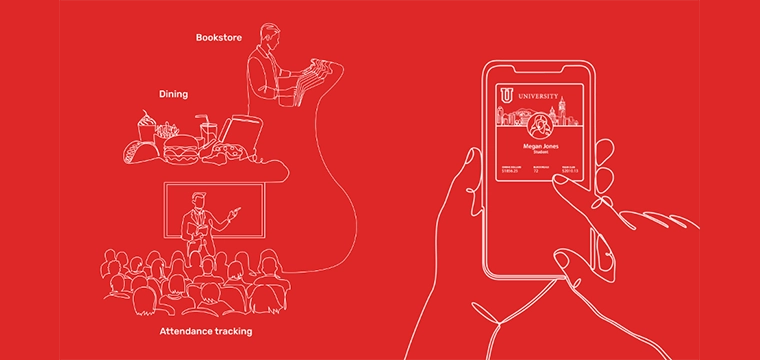
The first wave of mobile credential adoption is behind many institutions. Mobile IDs are live, students are tapping their phones at residence hall doors, and card offices are fielding fewer walk-ins during orientation.
But for many campuses, that progress has stalled at the door. The broader campus ecosystem – dining, recreation, printing, events, administrative systems – still runs on plastic cards, separate workflows, or manual processes.
The question campuses are now asking isn’t whether mobile credentials have a place across their institution. It’s what it actually takes to get them working everywhere they should. That answer is part infrastructure, part planning, and part prioritization.
Before expanding mobile credentials, it helps to map the full landscape of where credentials are used and where they need to be used.
Physical access touchpoints like doors and building gates represent just one layer. Equally important is the logical access layer: the systems and services where a credential authenticates a transaction or verifies identity.
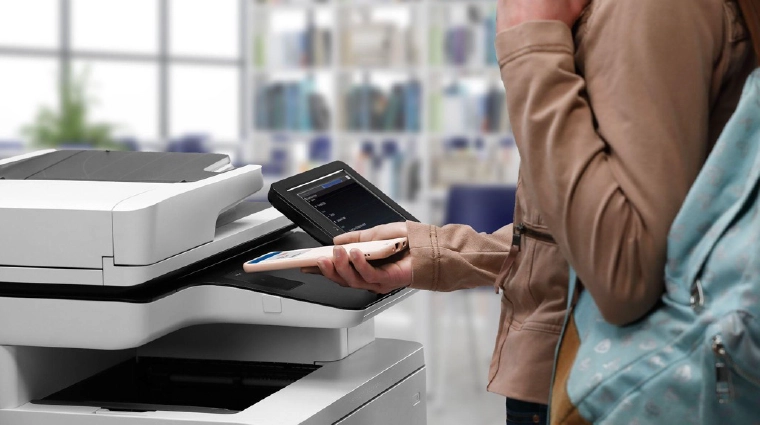
 Physical access touchpoints like doors and building gates represent just one layer. Equally important is the logical access layer: the systems and services where a credential authenticates a transaction or verifies identity. Think POS terminals at dining halls, secure print stations, event check-in, library services, and shared computing labs. Vending, parking kiosks, and athletic event management often surface during migration planning as well. These systems may not have been part of the original access conversation but rely on the campus credential all the same.
A useful starting exercise is an access audit: catalog every location where a credential is used today and assess the current technology at each point. That inventory becomes the foundation of a realistic expansion roadmap, revealing dependencies that would otherwise create surprises mid-deployment.
One of the most practical questions in mobile credential expansion is whether your readers can support it. Not every reader deployed for door access is suited for the full range of campus use cases. Understanding the hardware layer matters before committing to an expansion plan.
Campus environments require readers across a spectrum of deployment contexts. A dining hall POS terminal has different constraints than classroom attendance, a temporary event, or a shared computer lab. The hardware layer needs to flex accordingly. Several characteristics are worth evaluating:
 Once an access audit is complete and the hardware layer is understood, the next question is where to begin. A few criteria help prioritize:
Campus-wide mobile credential expansion rarely happens in a single deployment cycle, and it shouldn’t. A phased roadmap tied to the criteria above allows teams to learn and adjust before scaling. A few considerations for the planning process include:
The campuses realizing the most value from their mobile credential investments share a common trait: they have a clear picture of their access ecosystem, a hardware layer capable of supporting campus-wide deployment, and a prioritization framework that builds momentum one use case at a time.
A student whose phone unlocks a residence hall door should be able to use that same credential at the dining hall, the print station, the recreation center, and events.
Mobile credentials have earned a place at every campus access point. A student whose phone unlocks a residence hall door should be able to use that same credential at the dining hall, the print station, the recreation center, and events. Getting there is largely a planning and infrastructure challenge. The technology is ready. The question is how methodically your campus is building toward it.
Learn more about how flexible, interoperable access strategies are helping institutions create freedom to campus experiences at rfideas.com/industries/education.