Card, mobile credential, payment and security
By Mike Harris, VP of Sales East US, Alert Enterprise
College enrollment is up again; new data suggests higher education enrollment is increasing, especially at community colleges which suffered the harshest enrollment declines in the last few years. The not-so-great news? With more foot traffic comes the need to manage physical access for more students, faculty and visitors—no small feat when you consider the time, effort and cost that goes into ensuring a safe, sustainable and convenient campus experience.
To make secure access more accessible for all, Alert Enterprise developed Guardian: A robust Physical Identity and Access Management (PIAM) and visitor management tool designed to meet the needs of higher education institutions and one-card offices. By using our advanced automation, seamless integrations and scalable cloud-based platform, institutions can enhance security, improve efficiency and provide smarter access for card holders and visitors alike. Let’s dive into all the ways Guardian can revolutionize your campus security and access management with a student-approved, mobile-friendly experience.
Many higher education institutions rely on self-built automation applications that are often a hassle to integrate, upgrade and maintain. But there’s a smarter way in: Guardian by Alert Enterprise is a modern, integrated solution that can turn these outdated systems into simplified solutions for access management. Our platform seamlessly integrates with your campus’ existing systems for a smooth transition, covering access control, payments, library services and lockers. By retiring old applications and self-built integrations, your institution can reduce complexity and IT maintenance, improve security and ensure your access management processes are always up to date.
By automating processes, Guardian ensures that card issuance, access provisioning, and deprovisioning are handled efficiently and accurately, allowing the card office team to focus on improving the overall campus experience
Guardian is a cloud-based application, meaning it can easily scale to meet the growing needs of your institution. This scalability is particularly beneficial for IT departments because it eliminates the need for costly and time-consuming upgrades and maintenance associated with on-premises systems. With Guardian, your institution can quickly adapt to changing requirements without the hassle of managing physical infrastructure.
One of the standout features of Guardian is its powerful automation, which significantly reduces the workload for one-card office staff. Traditional manual processes are prone to errors and consume valuable time that could be better spent on more strategic tasks. By automating these processes, Guardian ensures that card issuance, access provisioning and deprovisioning are handled efficiently and accurately, allowing your team to focus on improving the overall campus experience.
Using a smart access platform like Guardian enables card holders to request physical access through a unified, mobile-friendly solution that’s deeply integrated with your institution’s physical access systems. In other words, no need for them to wait on physical cards to be mailed or deal with system errors that keep them from receiving a card on time.
Whether a student needs access to a new dormitory or a faculty member requires entry to specific labs, Guardian makes it easy for users to request access tailored to their needs—with a simple tap of their phones. This seamless integration with your institution’s physical access systems ensures that all requests are processed swiftly and accurately, enhancing security and convenience.
 Streamlined approval processes
Once access requests have been sent through, they’re automatically reviewed and approved by relevant authorities, such as faculty members, area owners, or vendor sponsors. The structured approval process not only improves security but also ensures accountability; each access request is approved by the appropriate personnel. This reduces the risk of unauthorized access and ensures that all card holders have the necessary permissions.
One of the key advantages of Guardian is its ability to integrate with scheduling applications, which ensures automated semester-over-semester provisioning of new access and de-provisioning of old access so students and staff always have the right access at the right time. By synchronizing with academic schedules, Guardian eliminates the administrative burden of manually updating access permissions, ultimately saving time and reducing errors. In short: Fewer manual entries, more orchestrated access control.
Our visitor management platform provides a best-in-class experience for guests while also being fully customizable based on visitor or event type. Whether it's a prospective student tour, a guest lecturer, or a large campus event, Guardian ensures that your visitors are welcomed with a streamlined, branded experience that reflects your institution’s identity. This not only makes for a better visitor experience but also ensures that security protocols are consistently followed.
--
With the new school year quickly approaching, there’s no better time to ensure you have the right access controls in place for a safe and productive year ahead. Contact us to learn how Guardian’s cyber-physical identity access management platform can create an unparalleled user experience for all.
 About the author:
Mike Harris is the VP of Sales for the East US region at Alert Enterprise, where he specializes in physical security transformation, automated compliance, process optimization, and centralized management and scalability. With over 20 years of diversified experience spanning integration, consulting, end-user roles and software sales, Mike is a seasoned professional dedicated to revolutionizing security through innovative solutions. Mike's passion for innovation and his strategic approach to security management have made him a trusted advisor and leader in the field. At Alert Enterprise, he continues to push the boundaries of what's possible, delivering transformative solutions that safeguard businesses and enhance their overall resilience.
Phishing-resistant multifactor authentication (MFA) can help colleges and universities protect sensitive data and reduce the risk of ransomware and other types of cyberattacks. For many higher education institutions, passwordless login can be achieved using the existing contactless cards or NFC credentials in combination with user PINs. This is an easy way to protect faculty and staff accounts and endpoint devices such as computers and printers.
ID + PIN meets emerging cybersecurity standards for phishing-resistant MFA, such as those recommended by the Cybersecurity & Infrastructure Security Agency (CISA). Phishing-resistant MFA solutions are those that reduce risks associated with phishing, social engineering and other forms of data interception. As sophisticated attacks have arisen to defeat common forms of MFA, such as one-time codes and push notifications, more secure forms are now recommended to secure high-value user accounts – such as faculty and staff accounts – and endpoint devices on the campus network.
MFA solutions utilizing contactless and NFC technology make it impossible for attackers to trick users into revealing their passwords. These solutions meet CISA and NIST standards for phishing-resistant MFA.
ID + PIN eliminates the most vulnerable element of user sign-in, the username and password combination. Instead of typing in login details, users simply tap their contactless card or mobile credential. The second authentication factor can be a simple user PIN or, in some cases, biometric authentication on the smartphone.
Here's how ID + PIN helps higher education institutions:
ID + PIN is a simple MFA solution to implement. Here are a few steps and considerations.
Working with a full-service solution provider will further simplify implementation for campus IT staff. Look for a knowledgeable solution provider with the right software partnerships in place who can work with you every step of the way, from initial planning to post-installation support. By implementing phishing-resistant MFA with ID + PIN now, colleges and universities can ensure that their campuses are prepared to face emerging cybersecurity threats.

Mike Harris, senior manager of business development for ELATEC, is responsible for connecting ELATEC market needs and its internal teams, including Product Development, Engineering, and Sales.
The access control landscape on college campuses is going through a rapid and profound transformation. Advances in innovative access technology are proving pivotal in bolstering campus security while enriching day-to-day experiences for students and staff alike. By understanding these five access trends, campus administrators can make informed, impactful decisions that shape a safer, more connected campus.
As security is increasingly top of mind on campuses, campus administrators are integrating more technology, like surveillance cameras and video management systems, to provide higher levels of visibility and protection. Along with these precautions, access control systems can play a valuable role in helping to layer security on campus to keep everyone safe.
At the core of modern campus security lies the need to balance robust security protocols with convenience and openness. Traditionally, campuses have been open communities where students, staff and even visitors can access the grounds and spaces with keys, plastic cards or fobs. While secure, these methods can be inconvenient, creating user frustration and bottlenecks during events.
To be clear, digital transformation in access control systems is more than an upgrade — it's a paradigm shift. By integrating advanced technologies, campuses can achieve the right balance between security and convenience to create smarter, more connected — and open — campuses.
Digital transformation helps campus officials strike the balance between security and convenience by shifting from traditional physical credentials to more sophisticated, digitally-powered access solutions.
Mobile credentials are at the forefront of this shift, allowing secure access through devices — like smartphones and smart watches — that users already carry. Mobile access has become a standard expectation on campus, and this includes the ability to control access through mobile devices. The technology allows students, staff and visitors to seamlessly access buildings, rooms and amenities with a swipe or tap while reducing the risk of unauthorized use via lost or stolen cards.
Another digital tool — a cloud-based access management platform — simplifies and supports access operations while increasing visibility, control and security. Likewise, cloud-based technology allows security teams to leverage cloud hosting to quickly and efficiently provision and deprovision mobile identities, while reducing the need for physical locations previously used for card printing and distribution.
Momentum toward mobile identity use is building, and as a result, organizations are steadily upgrading older hardware with multi-tech readers able to recognize both physical cards and mobile credentials, according to HID’s 2024 State of Security and Identity report. As mobile access becomes more common, legacy hardware can no longer support new technologies effectively.
Upgrading legacy panels and locks also helps future-proof campus security, ensuring compatibility with existing infrastructure and new technologies while providing flexibility to incorporate future access control advancements.
A key factor in upgrading hardware is interoperability, or the ability of a component — like a reader — to exchange information with various credential types, from RFID cards to mobile. The capacity for different components and even systems to communicate seamlessly reduces the potential for information silos, streamlining security management and response strategies. This ensures a flexible security infrastructure that is also future-proof.
In addition, interoperability gives administrators a more holistic view of campus access, supporting more informed decision-making and facilitating a proactive approach to threat identification and mitigation. It elevates the level of security on campus while significantly enhancing the user experience by accommodating the convenience of various access methods.
Another trend driving mobile adoption is the increasing popularity of hybrid working models among campus staff. Models that blend remote and on-campus work require access technology that can adapt to varying access needs. As a result, access control systems must be dynamic and flexible enough to accommodate different levels of access based on factors like time, location and role.
Traditionally, access control has been siloed in the campus environment, with decisions handled by one department, often security. Now that credentials can power so much of a campus — from libraries to cafeterias to recreation centers — access control is becoming central to building a holistic student experience. As a result, upgrading access control requires input from all stakeholders, including decision-makers from human resources, libraries, housing, security, IT and more.
Cementing the credential’s place as central to campus life requires full support and endorsement from senior leadership. Campus administrators can facilitate this journey by helping leaders fully understand the value of an advanced access solution across the campus ecosystem. For example, along with improving student experience, strengthening security and streamlining operations, it enhances sustainability by decreasing plastic card use and reducing the footprint of credentialing offices.
Even as mobile technology becomes increasingly prevalent, other technologies are on the horizon. Biometrics — particularly facial and fingerprint recognition — eliminate the risk of lost or stolen cards or credentials. They also make access to campus property and amenities a virtually effortless experience for students and staff.
Ultra-wideband (UWB) technology represents another new frontier in campus access control. UWB provides a truly keyless and contactless entry experience, where lock is opened when an authorized device, like a smartphone, is within a defined physical proximity — granting access without the need to take out the device or press a button.
As college campuses navigate the complexities of modern security, it’s essential for administrators to consider the integration of advanced technologies and the strategic upgrade of access control systems. By understanding these trends, decision-makers can drive meaningful changes that create safer, more connected campuses and enhance the day-to-day experiences of students and staff.
Author: Tim Nyblom, Director, End User Business Development, Higher Education, HID
By Willem Ryan, Alert Enterprise
Campus activity may be dwindling down this time of year, but security threats aren’t going anywhere.
There have been long-existing security gaps in the educational systems, allowing hackers and criminals to exploit them with ease. According to the U.S. Department of Education, there were 38,059 criminal offenses reported on more than 10,000 college campuses in 2022. Unsurprisingly, it’s been reported that 60% of current and prospective undergraduate and graduate students said that campus safety was a factor they considered when choosing their school.
It’s become a global truth that efficiency and security in the education sector are paramount. In this fast-paced and populated environment, a key solution has emerged as a game changer, revolutionizing the way we interact with campus infrastructure and services: the integration of mobile credentials.
Picture this: A campus where every student’s smartphone acts as a magic wand unique to them, granting them access to every corner of university life with a simple tap. Meanwhile, integration with access control systems allows for real-time authentication and monitoring of both physical and cyber entry points. This vision isn’t just a distant dream but a tangible reality, thanks to the seamless integration of various systems into a connected ecosystem for higher education mobile credentials.
At the heart of this ecosystem lies the integration of the Guardian platform with credential managers (like HID, LEGIC, Wavelynx and Safetrust), access control software, corporate SSO identity partners and the Alert Enterprise Wallet App for mobile credentials that connects to Apple, Google and Samsung Wallet—allowing universities to leverage cutting-edge technology to enhance security and streamline operations. Gone are the days of fumbling for physical ID cards or struggling with outdated key systems. With mobile credentials, students, faculty and staff can seamlessly navigate through campus facilities, whether it's accessing buildings, dormitories, computers, laboratories, or even securing lockers with a simple tap of their smartphones. This means that students no longer need to carry around bulky keys or remember complex combinations. Instead, they can securely gain access with the convenience of their smartphones, freeing up mental space to pursue academic excellence.
The benefits extend far beyond convenience. By embracing mobile credentials, universities are also embracing a culture of innovation and adaptability. These credentials serve as the gateway to a world of possibilities, enabling the integration of various services and resources into a single, cohesive platform. Here are six benefits that are scoring high:
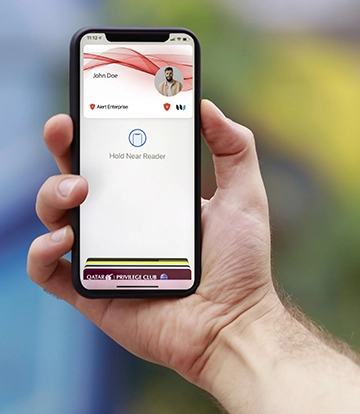 Adaptability: The beauty of this connected ecosystem lies in its adaptability and scalability. Whether it's a small liberal arts college or a sprawling research university, the principles remain the same. By leveraging existing systems and modernizing campus card programs, universities can tailor their mobile credential solutions to meet the unique needs of their community.
Integration with network login systems: With mobile credentials, students and faculty can not only access physical spaces but also seamlessly connect to the university's digital resources. Whether it's accessing online courses, library printers and databases, or university portals, the transition from physical to digital becomes effortless, enhancing productivity and collaboration within the academic community.
Campus security and emergency preparedness: By using geolocation technology and real-time communication platforms, universities can quickly locate and communicate with individuals in the event of an emergency such as a natural disaster or security threat. Additionally, mobile credentials can be remotely deactivated or updated, allowing administrators to respond swiftly to security concerns or policy changes. This proactive approach to safety not only protects the well-being of students, faculty and staff but also improves the overall resilience of the campus community.
A more sustainable future: By reducing the reliance on physical materials such as plastic ID cards and key fobs, campuses can significantly decrease their environmental footprint. This shift towards a paperless and keyless campus aligns with broader sustainability initiatives and reflects the values of the current generation of students who are increasingly conscious of environmental issues.
New opportunities for personalized experiences: Through data analytics and machine learning algorithms, universities could even potentially analyze user behavior and preferences to tailor services and resources to individual needs. For example, students may receive personalized recommendations for campus events, academic resources, or extracurricular activities based on their interests and past interactions. This level of customization not only enhances the overall campus experience but also fosters a deeper sense of engagement and belonging among students.
A positive impact on campus culture: Mobile credentials aren't just about technology; they're about fostering a sense of belonging and community. By providing seamless access to campus resources, universities are breaking down barriers and creating a more inclusive environment for all.
The integration of mobile credentials represents a transformative shift in higher education, offering numerous benefits ranging from enhanced security and efficiency to personalized experiences and environmental sustainability. As universities continue to embrace this digital revolution, they are not only reimagining campus life but also shaping the future of education in a connected world. By creating a connected ecosystem that seamlessly integrates access control systems, network logins and campus amenities, universities are redefining the way we interact with our environment. And by harnessing the power of mobile technology, universities are creating safer, more efficient and more inclusive campuses that empower students to thrive. Contact Alert Enterprise or click here to learn more about creating a closed-loop education system that can be securely accessed with a tap.
 Willem Ryan Senior Vice President, Marketing and Communications
Mr. Ryan is responsible for overseeing Alert Enterprise’s global marketing and communications strategy, and building brand awareness, supporting pipeline growth and market expansion worldwide. Mr. Ryan joined Alert Enterprise in 2019 and brings more than 15 years of successful sales, product, and marketing experience in establishing a heightened presence of global brands in the security industry.
By Michael Harris, Vice President of Sales for the Eastern US, Alert Enterprise
Higher education institutions are facing unprecedented challenges in managing campus security. With a myriad of disparate security solutions, homegrown databases and technologies that seldom integrate smoothly, campus security teams are often left grappling with inefficiencies and vulnerabilities. The need for a streamlined approach to security is more critical than ever. This is where the concept of cyber-physical security convergence comes into play, offering a comprehensive solution that unifies siloed systems, enhances security measures, and drives process automation and business efficiencies.
Higher education campuses are unique ecosystems, made up of diverse facilities such as lecture halls, dormitories, research labs and administrative buildings. This fragmentation not only makes security management cumbersome but also creates loopholes that can be exploited by malicious actors. The reliance on homegrown databases and outdated technology further exacerbates the problem, leading to inefficient security processes and increased risk.
The convergence of cyber and physical security through a unified platform seamlessly integrates various security systems and technologies. This integration facilitates real-time monitoring and automation of all security aspects, from access control to data protection. By adopting a security convergence platform, higher education institutions can ensure a holistic security posture that guards against both physical and cyber threats.
One of the most significant advantages of cyber-physical security convergence is the unified view it offers of the entire security landscape. By integrating disparate systems, security teams can monitor and manage security protocols more efficiently. This integration enables the rapid identification and response to potential threats, ensuring the safety of students, faculty and campus assets.
The automation of security processes is another critical benefit of security convergence. Automated systems can quickly analyze vast amounts of data, identify patterns and respond to security events with minimal human intervention. This automation not only reduces the workload on security staff but also enhances the accuracy and speed of threat detection and response. Bonus: The efficiency gains from process automation translate into cost savings and better allocation of resources.
In the context of enhancing campus security through mobile credentials, two notable developments are Apple's Student ID cards and Google's Campus ID. These digital solutions represent a significant leap forward in access control technology, aligning perfectly with the needs and habits of a tech-savvy student population.
Mobile credentials can be integrated into the broader cyber-physical security convergence platform, ensuring a unified and efficient security management system
Apple's Student ID cards, designed for integration with iOS devices, offer a convenient and secure method for students and staff to access campus facilities. Utilizing the robust security features of Apple devices, these digital ID cards ensure that only authorized individuals can gain entry to buildings, rooms and other secured areas. The convenience of having an ID card on a device that students invariably always carry with them not only enhances user experience but also streamlines campus security operations. This technology can be seamlessly integrated into the broader cyber-physical security convergence platform, ensuring a unified and efficient security management system.
Similarly, Google's Campus ID serves as a digital access solution for Android users, mirroring the functionality of Apple's Student ID cards. By leveraging the widespread use of Android devices among students and faculty, Google's Campus ID facilitates easy and secure access to campus facilities. This solution further adds to the layer of security by incorporating features unique to the Android platform. The integration of Google's Campus ID into the campus security infrastructure complements the existing physical and cyber security systems, offering a cohesive and robust security framework.
To complete the solution, a platform that automates the backend policy and access assignment engine is needed. Based on the students’ course enrollment every semester, their access can be adjusted for various departments. Same applies for athletes—their locker and gym access can be controlled based on their choice of sports. Gone are the days of resource overload and risky custom scripting to manage all access combinations.
Visitor management is another critical aspect of campus security. Traditional visitor management systems are often manual and disjointed, posing security risks and administrative burdens. A converged security platform streamlines visitor management by integrating it with other security systems. This integration ensures that visitors are properly screened, their movements are monitored and their access is controlled, thereby maintaining campus security while offering a welcoming environment to guests.
In addition to the integration of cyber and physical security systems, the future of campus security is poised to be significantly transformed by the advent of generative AI technologies. Generative AI (Gen AI), known for its ability to create new content and solutions, is set to play a crucial role in advancing security measures on higher education campuses. This technology, when integrated with existing security frameworks, can offer unprecedented capabilities in threat prediction, simulation and response strategies.
Predictive Analysis and Threat Identification: One of the most promising applications of Gen AI in campus security is in predictive analysis. By leveraging machine learning algorithms and vast datasets, generative AI can predict potential security threats before they occur. This proactive approach to security enables campus security teams to anticipate and mitigate risks, rather than just reacting to incidents when they occur.
Real-time Response and Decision Making: In emergency situations, the speed and accuracy of decision-making are critical. Generative AI can assist in real-time response by quickly analyzing situations and providing recommendations or automated actions. Gen AI can guide rapid response strategies, ensuring the safety of students and staff.
The convergence of cyber and physical security is not just a trend but a necessity in the context of higher education. By adopting a security convergence platform, higher education institutions can overcome the challenges posed by disparate solutions and outdated technologies. This unified approach enhances security measures, automates processes and drives business efficiencies—ensuring a safe and secure environment conducive to learning and innovation. Contact AlertEnterprise to learn more.
 Michael Harris, VP of Sales, East US
Michael Harris serves as the Vice President of Sales for the Eastern US at Alert Enterprise. With a career spanning 19 years in the physical security industry, he is recognized for his expertise in bridging physical and logical security to address business-critical challenges. Harris has a comprehensive background that includes roles in security integration, consulting, application end-use, and software manufacturing. His approach to sales strategy and execution is deeply rooted in stakeholder engagement and exceptional customer service, which has led to significant successes in physical security programs.
 Selecting the right campus card reader is a crucial decision for every institution. Each campus has its own unique wants and needs, but the process can be challenging due to the variety of options available, future goals, and cost. In the past, this decision was simpler, with magstripe and proximity cards and readers as the primary choices. Today, the range of options has expanded significantly to include physical credentials with DESFire technology and mobile-enabled credentials. By making informed decisions based on factors including credential type, reader criteria, wiring, and non-technical factors, campuses can ensure a secure and efficient access control system to meet their current and future needs.
This question has been debated for years. In the early days of single technology readers, it was easier to answer. If you wanted magstripe cards due to low cost, then you would purchase a magnetic stripe reader. Technology improvements in the ‘80s allowed campuses to move to proximity cards and readers. Today the choices are broader, and you want to get it right the first time. Start by selecting the credential technology that will meet the campus' needs today and the next 5-10 years. This approach helps align your goals with the reader type and manufacturer. If you let your existing reader technology drive the campus’ future direction in card technology, your choices may be limited.
A multi-technology reader can allow you to transition from legacy technologies (mag, prox) to SEOS, DESFire, or mobile credentials
Does the campus plan to use a secure plastic credential with DESFire technology for identification, access to buildings, printing, food service, and other on-campus solutions? Or is there a desire to move to mobile credentials that are issued directly to the phones of your employees and students? Those two options, or a combination of the two, are both critical decisions that will determine the direction you can go with reader technology.
The Apple & Google Near Field Communications (NFC) Wallet credentials are quickly being adopted for use in everyday life which has driven many Radio Frequency Identification (RFID) technology companies to adapt their readers to support NFC for non-access control applications. NFC mobile credentials are as secure as DESFire credentials, but also have another layer of security provided: students may not hesitate to loan their ID card to a friend, but they might be reluctant to share their phone.
If you’re looking for readers that will offer the ability to read NFC credentials, be sure to specify and select readers that meet Apple’s ECP (Enhanced Contactless Polling) 2.0 requirement.
The most secure plastic credentials will include a DESFire solution that offers advantages over the 50-year-old magnetic stripe and proximity options that can be compromised, but legacy readers may need to be updated to take advantage of the more secure credential choice.
Once the credential choice is made, you can select the reader technology that meets your current needs and may also meet transitional or future needs with a multi-technology reader. For instance, a multi-technology reader may allow you to transition from legacy technologies (mag, prox) to SEOS or DESFire and could include options for keypad such as dual authentication, like a card and a PIN number. It is especially important to confirm that the credential you have selected will work with the reader manufacturer you are considering. Interoperability is growing quickly, but some manufacturers offer only proprietary solutions that require the credential and reader to be made by the same manufacturer.
Wiegand, named after its creator, John Wiegand, has been regarded for over 40 years as the wiring standard between a card reader and the access control panel. It is a simple, one-way communication that was once dependable and common, but Wiegand sniffing (ESPKey and ESP RFID Tool) attacks have compromised the credential information needed to be secure. The technology placed limits on the number of bits a card could have: 26 Bit was the most common, and 37 Bit format was the top limit.
Open Supervised Device Protocol (OSDP) meets the high security guidelines from the Federal Identity, Credential, and Access Management (FICAM) governance. OSDP simplifies access control wiring and provides AES-128 level encryption to ensure the information being passed from the credential to the access control panel remains secure. Its ability to receive communication from the credential reader, plus the ability to monitor those communications, provides for a reliable and secure path. Compared to Wiegand, if a bad actor installed an ESPKey on the communication line for an OSDP reader, the data captured would not be usable. The encrypted data is only converted with the one-time key for that communication, and there are 3.4×1038 combinations. If you’re not a math expert, that’s a lot of combinations!
You may hear OSDP and RS-485 used together. OSDP uses the RS-485 wiring as its method to pass communications on. RS-485 requires two conductors for power and two conductors for OSDP data.
OSDP is growing in its ability for communications between the software, control panel and OSDP enabled readers to push updates, configurations, and firmware out to the all the readers. Not all control panels have this separate path today, but as the technology grows, the OSDP wiring and reader should be able to take advantage of the updates without having to visit the card reader.
IP enabled, also known as Edge devices, refers to a device with an access control panel and reader built into one assembly that can be plugged into an existing campus network system for communication and power. This creates a unique solution that saves on installation, wiring, and programming costs. It also offers network security that your IT administrator can use to determine the security level, which follows the same AES-128 level encryption while reducing the number of components required.
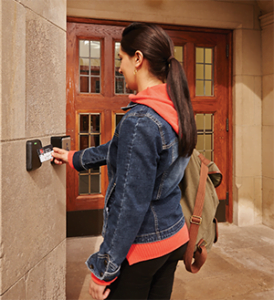
A mullion reader fits on the thin aluminum stile of a glass entry door. A standard reader is normally installed during construction. Both readers can be mounted to drywall, brick, block, or other surfaces.
Installation
Physical installation of the reader devices is similar across the various types and brands. Most require a hole in the mounting surface that will allow a set of wires to pass through and two screws that attach the reader to the mounting surface. However, how the reader wiring attaches does vary. Readers may connect wires via stationary terminal block, some have removable terminal blocks, while others have complete wire harnesses.
Mounting Location
Most readers today are available in two sizes. One is a narrow reader, called a mullion reader, that fits on the thin aluminum stile of a glass entry door. The other is a standard reader that is at least the width of a single gang electrical box, normally installed during construction. Both readers can be mounted to drywall, brick, block, or other surfaces. It is important to know the mounting location to get the proper size.
How Important is Wire?
Consider the wiring communication protocol a reader may support. This important topic should be discussed internally with key departments. Pulling new wire for card readers can be costly, and you only want to do it once if possible. Make sure you put in cable that meets current and future needs.
As a rule, all Wiegand readers will use similar wire/cable and it can be re-used when replacing with another Weigand reader. Generally, with this protocol, the wire/cable runs directly from the reader to the control panel and is limited to a single reader. However, if you are upgrading to the secure communications path of OSDP or IP readers the wiring will need to be upgraded in most cases. If newer wiring was pulled for the Wiegand readers, it may meet the standards for TIA485/EIA-RS485 wire specification related to OSDP. OSDP readers provide the ability to wire in a multi-drop or daisy-chain configuration that allows you to connect more than one reader to that wire run. Wiegand communication is limited to 500 feet between the reader and the control panel while OSDP RS-485 offers distances of up to 4,000 feet.
IP readers will need a standard Network cable, preferably with power that will allow the reader and lock to work without separate power. This type of network is called POE (Power over Ethernet) and allows many IP readers to work from one Network switch.
Aside from the technical aspects of the reader fit for your campus, one should consider factors including:
Price vs. Value. Take time to consider the value of the equipment, not just the cost. How will it enhance the campus experience now and in the future?
Certifications. Does the reader have the right FCC and UL certifications?
Warranty policy. Will the manufacturer support and stand behind their product after installation? How long do they guarantee support?
Where can I buy from? Can I only get from a single distributor or are there several? Do they have local inventory?
Lastly, don’t forget the greatest resource you have: your campus peers. Talk to and network with other campuses to learn what they have used and what their experience has been, whether positive or negative.
To learn more about the basics of electronic access control systems, check out this article.
If you’re ready to begin implementing card reader technology on your campus but aren’t sure where to start, contact Jeff Koziol to learn more and discover your options.
 By David Kelley, Vice President, Product Development, TouchNet
Both Near Field Communication (NFC) and Bluetooth Low Energy (BLE) are valuable technologies for use on higher ed campuses. While they seem similar, in fact they are not interchangeable, as each technology is best used to accomplish different, specific tasks.
NFC is best for payments and access control because NFC was built to do what payments and access control foremost need to do: quickly and securely transmit data from a single device to a single device.
BLE can send larger amounts of data between multiple devices over longer distances but that’s not needed or desirable for payments and access, and in fact these BLE traits often create problems for these types of transactions. BLE is better suited for other use cases.
Because of how the technology was built, NFC has inherent advantages for payments and access that BLE does not possess. NFC was built to communicate over very short distances (less than 4 cm or about 1.5 inches), employ an automatic connection with rapid data transmission (less than 0.1 seconds), and involve only one device communicating with one device at a time.
The combination of these traits makes NFC the right technology for payments and access because they require secure, stable, fast, and accurate communication. The short distance and one to one connection ensures that the right device is connecting with the right device, transmitting stably and rapidly, and communicating without chance of interference and hacking.
BLE transmits over long distances (up to 30 feet/9 meters), requires a manual connection, and is open to connect multiple devices. These traits make BLE useful for transmitting data that is shared amongst many users and devices and does not require the utmost security, such as audio signal transmission.
But for the use cases of payments and access, these same traits can expose a signal to a wide field of interference and possible hacking from the dozens of devices within range of the BLE transmission. Requiring a manual connection also creates a frustrating user experience due to glitches in permissions and user errors with passwords.
NFC also operates at very low power, even when your phone's battery appears to be dead. In an emergency situation a phone will still be able to communicate with a NFC-enabled reader to gain immediate access and swiftly get to a safe place.
The ability to operate at very low power is especially important on a college campus where the safety of students is paramount and a significant reason why NFC is the best technology for building and facility access. In an emergency situation where speed is crucial, NFC means no worrying about dead phones, no wasting time manually attempting to set up a connection, no interference from allowing multiple devices to connect from across an extended area. In contrast, BLE exposes users to these unnecessary risks.
Very low power can be leveraged in an additional way. NFC allows for the use of passive radio-frequency identification (RFID) tags. The tags are powered by induced electromagnetic energy from a phone and drive data transmission between phone and reader to complete an access or payment transaction.
If a carpenter needs to drive a nail, they use a hammer, which is built to drive nails better than other tools. A carpenter would not use a socket wrench, which could pound a nail but it’s not built for that and won’t be as effective and efficient as a hammer.
NFC was built for rapid, secure transmission of data from one device to one device without interference, which is exactly what payment and access processes need to function correctly, and why NFC is the standard for these use cases instead of BLE.
The advantages of NFC for payments is why the world’s major credit and debit card companies embed NFC in physical cards to securely transmit payment data. The advantages of NFC for payments is why Apple Pay, Google Pay, and Samsung Pay use NFC in their digital wallets to securely transmit payment data. As a result, in most parts of the world NFC is now the standard for contactless payments.
The advantages of NFC for payments apply to access, too, especially in busy, crowded places where there is a high chance of interference and exposure to hackers. The security and stability of NFC is why public transport in many of the world’s largest and densest cities – including Hong Kong, Singapore, and London – use NFC-based cards as the access control mechanism for public transportation.
When developing your payments and access ecosystems, ensure your campus uses the right tools for the task. It is the best way to achieve lasting security, efficient operations, and consistent, high-quality service.
For more on building out your campus transaction ecosystem, visit TouchNet.com.
 By: Willem Ryan, Senior Vice President, Marketing and Communications, AlertEnterprise
College campuses are bustling hubs of activity, with thousands of students, faculty and staff members breezing in and out of countless doors every day. With so many people, campus buildings and an expansive network of systems, security is becoming more and more of a challenge—especially in a mobile-driven world where convenience simply can’t be compromised.
Mobile phones are ubiquitous in today's society, and most students carry them everywhere they go. The pandemic accelerated the adoption of mobile computing and the expectation of mobile convenience, and when it comes to younger generations in particular, there is virtually nothing they wouldn’t expect to be able to do on their mobile devices.
The use of smartphones is becoming increasingly integrated into daily life, and students are expecting this same level of integration in their educational lives. In fact, for many, mobile-driven experiences are becoming a deciding factor in the process of choosing which schools to attend. But how do we cater to this relentless demand for convenience as we simultaneously try to dodge ever-growing security threats?
A new technology has recently emerged that is helping make college campuses more secure with a seamless, more integrated user experience: NFC wallet mobile credentials.
NFC, or Near Field Communication, is a wireless communication technology that allows two devices to exchange information when they are close together. NFC has been around for a while, but only in recent years has it has become widely used in mobile phones. Today, many smartphones come equipped with NFC technology, which means that users can use their phones as contactless payment devices or to exchange information with other NFC-enabled devices.
NFC wallet mobile credentials take this technology a step further by allowing users to store their identification and access credentials on their mobile phones. Instead of carrying around a physical ID card or key fob, students, faculty and staff members can use their smartphones to access buildings, rooms and other restricted areas on campus. This has a number of benefits, including increased security, convenience and cost savings.
By using their iPhones or Apple Watches as access cards, students and faculty no longer have to worry about losing or forgetting their plastic cards, which can be a hassle to replace. Additionally, they can use their phones to access multiple facilities, eliminating the need to carry multiple cards. With an NFC wallet mobile credential, users can keep their phone in their pocket and simply tap it against an NFC-enabled reader to gain immediate, secure access to dorm rooms, campus buildings, printers, vending machines, libraries and more.
NFC wallet mobile credentials are far more secure than traditional ID cards and key fobs, which creates a game-changing user experience. With a physical ID card or key fob, there is always the risk of loss or theft. If someone finds or steals your ID card or key fob, they can potentially gain access to sensitive areas on campus. With an NFC wallet mobile credential, however, the risk of loss or theft is greatly reduced. People typically keep smartphones with them at all times, and they can be secured with a password and dual authentication to prevent unauthorized access.
But the back-end administrative management experience isn’t taking a back seat. In a matter of seconds, security personnel can easily issue and revoke credentials “over the air” rather than requiring face-to-face meetings to hand over or pick up physical cards. Automated end-to-end lifecycle management and governance of identities instantly enforces policies while getting rid of human error and security gaps. Manual data entry and reporting is completely eliminated, reducing days of work to mere seconds. And AI-powered analytics provide immediate insights to access-related events that may need further investigating.
With the increase in college acceptance rates, NFC wallet mobile credentials can also save colleges and universities substantial money. Think of it this way: In addition to opening dorms and classrooms, a smartphone can also enable students to make purchases at dining areas and school stores. Plus, many universities have grown accustomed to receiving revenue from issuing card credentials, which they can dial up exponentially by incorporating mobile activation into their student technology fees to cover things like printing kiosks, department-specific items and credential packages.
Minimizing or eliminating plastic cards can have a major effect on reaching ESG (Environmental, Social, and Governance) and SDG (Sustainable Development Goals) goals. By implementing mobile credentials, institutions can significantly limit the amount of plastic and paper waste generated from traditional ID cards, which often end up littering our streets or piling on top of landfills.
In addition to the benefits of NFC wallet mobile credentials for physical security, they also have the potential to improve cybersecurity on college campuses. With so much sensitive information stored on college networks, it is essential to ensure that only authorized users are able to access this information. NFC wallet mobile credentials can be used to authenticate users when they log in to college networks and online services, reducing the risk of unauthorized access.
The pros of NFC wallet mobile credentials are clear. They offer increased security, convenience, cost savings and environmental benefits, and are becoming increasingly popular on college campuses across the world. And when integrated with a cyber-physical identity access management platform, every compliance and governance step becomes automated, every process gets synced up and every security gap remains closed.
Contact AlertEnterprise to discover how you can create safer campus entries, and mitigate theft and security breaches, by taking a converged approach to security—powered by the latest advancements in mobile and AI, of course.
By Tyler Webb, Director of Sales, Campus EAC, ASSA ABLOY
Embarking on a system upgrade or new deployment? It can be challenging, but with proper planning, you can minimize the risks and come out smiling on the other side.
In my experience working with campuses across the country, here are some key things to keep in mind:
As you begin the project, identify campus business units that will be directly impacted by the process and contact key stakeholders in each unit. Talk through the process and get their feedback so you can address concerns and integrate them into your planning. Keep these stakeholders informed as you move through the various stages of the upgrade process.
It should go without saying but build a detailed project plan. You need a roadmap to keep your team on track. The plan should include initial meetings, vendor partner selection, product identification, ordering, pilot testing, deployment, testing, and everything in between. Write it down, share it, and be flexible, as your plan will adjust over time.
Your providers should be partners, and a good partner is there to help you succeed. Rely on your vendors to help guide you. While this is likely your first major integrated access upgrade, we have done it many times and can help you avoid pitfalls.
Though it has gotten more challenging since COVID, managing product lead times has always been a crucial component to a system upgrade. With lead times often maxed out due to chip shortages, shipping delays, or other component issues, it is more important than ever to build forgiving lead times into your plan.
Transparency between your team and your vendor partners is essential.
At various stages in the upgrade process, testing is imperative. Early on, sample cards encoded with your institution’s specific format and data structure should be tested by your vendor partners to identify potential issues.
At a mid-point in your journey, I recommend a small pilot project using a few doors in a highly controlled environment, such as a contained administrative office or a select number of residence hall doors with pre-selected participants.
Finally, as the actual upgrade process begins, don’t forget to test as you deploy each area. It is always better for your team to identify a problem before a user finds it.
When it comes time to begin the installation, the order in which you upgrade should not be left to chance. Don’t leave it to the squeaky wheel to determine the order of upgrade. I recommend prioritizing mission-critical areas first, leaving secondary demand areas for later in the process.
Check out the other installments in the “Tyler’s Tips” series:
By Tyler Webb, Director of Sales, Campus EAC, ASSA ABLOY
Access and security are essential to a modern campus, but limited funds often hamper an institution’s ability to expand these systems. Students, parents, and staff expect and deserve a safe environment to study, live and work.
In addition to life safety issues, integrated access control systems can serve as a marketing differentiator for an institution, aid in enrolment, and provide a host of other benefits. So, figuring out creative ways to pay for the technology is often a requirement.
Periodically, national priorities have aligned with campus security needs, providing funds via dedicated grants. For those that qualify, apply, and are approved, these funds can help cover all or part of the costs for a security upgrade.
In recent years, COVID funds have helped many institutions improve security. The Coronavirus Aid, Relief, and Economic Security Act (CARES Act) was approved by Congress on March 2020. It authorized $2.2 trillion in economic aid to people and organizations negatively impacted by the pandemic.
According to the U.S. Department of Education, approximately $14 billion was dedicated to campuses via the Higher Education Emergency Relief Fund, or HEERF. Additional funds were allocated for the program in subsequent years, and in 2022, the use of HEERF (a)(2) grant funds for construction and renovation projects was authorized.
Late in 2021, the $2 trillion Infrastructure Law was passed. One part of the law is the Infrastructure Investment and Jobs Act, which includes key opportunities for higher education institutions. Though not all the opportunities are known at this time, it specifically includes $12 billion to update infrastructure at community colleges.
When you have a vision and a plan for where you are going, incremental steps toward that goal always make sense. If you know you want secure contactless credentials and/or mobile credentials, make the commitment to start now.
I cannot think of a time when I would not recommend this phased approach. It can be critical in immediate progress toward your goal.
When it comes time to replace a broken reader, renovate an existing building, or build new construction, you’ll want to begin the process of upgrading to more advanced contactless readers. If your current ID card uses mag stripe or 125 khz prox, you can issue dual technology cards to support cardholders who need to access both old and new readers.
I cannot think of a time when I would not recommend this phased approach. It can be critical in immediate progress toward your goal.
Explore opportunities with other campus constituencies that may see the benefit of an integrated access system that increases life safety and can boost enrollment. Perhaps the alumni or student association has funds to allocate toward projects.
In many cases, institutions are opting not to secure funds to pay for the construction of new facilities, specifically residence halls, on their own. Instead, some look to private companies to manage the construction and costs, charging the institution rent or fees to repay the construction, maintenance, and management costs. P3s often enable a campus to fast-track construction projects because they do not have to wait for state infrastructure dollars or internal funds to be allocated.
P3s often enable a campus to fast-track construction projects because they don't have to wait for state infrastructure dollars or internal funds to be allocated.
In any P3 project, specifying your integrated access system makes sense. Make the new project a part of your comprehensive program and have reader deployment baked into the project cost.
Many campuses use technology fees to fund projects that are important to the student experience. If your institution already issues a technology fee, explore whether a portion of this fee could be allocated for security infrastructure. If you don’t have a technology fee, start the conversation to see if this could be a good fit for your campus.
Check out the other installments in the “Tyler’s Tips” series: