Card, mobile credential, payment and security
 How secure is your ID card system? Fargo Electronics wants to help you find out. They have developed a series of self-assessment questions that will help card managers determine the gaps in their ‘supposedly’ secure ID cards. This non-proprietary interactive website tool was launched in April.
“We felt there was an awareness that needed to be driven home,” said Joe Wright, Fargo’s marketing director. “We wanted to make end users realize their vulnerabilities.”
A couple years ago, Fargo discovered that “a lot of customers didn’t realize the lack of security with their card system, card issuance process and the card itself. We wanted to develop a tool that would help users realize the level of security, or more importantly the risk, associated with their card program,” he added.
The page, available at http://www.fargo.com/assessment/select.asp, covers three vertical markets – corporate, education, and government. “The majority of our business falls in these three areas,” he said. Users also have to identify the area of the world they’re from, such as the U.S., Canada, Latin America, Europe, Middle East, Africa, or Asia Pacific.
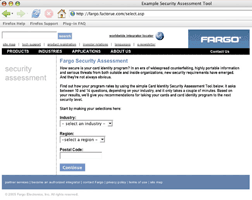 After choosing the area and region, and inserting a zip code, users then are asked to respond to between 10 (education) to 14 (government) questions.
A common question among all three is the current state of the organization’s security system, i.e. what are they now doing to prevent forgery or preventing the card from being used by unauthorized personnel.
“It’s unfair to think that 14 questions online on the Internet will solve their security problems,” said Mr. Wright. “Our goal is to make people aware of security issues by asking questions to provide direction, and then give them an estimate of their level of risk.”
The Fargo self-assessment site won’t initially capture any contact information. “We try to remain neutral,” said Mr. Wright. Users can print off a recommendation report on the state of their card’s security which allows them to take this to their security director.” Fargo can also supply a page of recommended solutions, and it is there that a user can request help from a Fargo solution provider, added Mr. Wright.
A demo of the page was unveiled at the recent ISC West security conference. “We got some pretty positive response,” said Mr. Wright. “Many didn’t even realize their ID card system could be at risk. And, manufacturers of access control systems thought this would be a good tool; both for end users and as an awareness tool for sales and marketing.”
The self-assessment wasn’t ready for the NACCU conference, but Mr. Wright said Fargo will definitely demo it at next year’s show.
Mr. Wright believes that there are “two areas for security improvement in colleges; first, investing in a visual security element on the card, either a high secure custom hologram or secure foil card like Verimark or Holomark. College kids are getting pretty savvy with fake IDs.”
Second, he added, “A lot of people forget about their vulnerabilities within the card issuance process and system itself. Students make cards for other students. Staff uses the system for other purposes. There are solutions available to lessen the likelihood of this occurring, such as a lockable hopper or smart card controlled access (for system users and administrators). There are also software-driven solutions where you can control the hours of operation of the system, set-up notifications for misconduct and apply security images. And if you do find a fraudulent card, you need a good tracking method where you can trace the card back to the printer and the operator.”
Colleges also need to realize that ID cards being issued today have a lot more value. “They can be used for access control, purchasing books, lunches, off-site vendors programs, library use, phone cards, financial data and more. They can also be used to log onto the Internet. As that functionality of the card grows, as does its value, you’ve got to do more to protect the card,” said Mr. Wright.
Fargo first started the self-assessment project last November. “It has been six months in development. We wanted to make sure we had the right tool, and we used a third party company to make sure we didn’t start marketing Fargo instead of providing a good assessment tool,” said Mr. Wright.
In addition to a security report on the company, the assessment tool also compares the company or college against others in that industry. Future input received on the site will determine what that average will be, Mr. Wright added.
Now that the site is live, Mr. Wright said the company is investing in a lot of “outbound marketing” to let people know about it.
Note from the editor: Whether you are a Fargo user or not, it is worth the time it takes to enter your information and get your results. You can gain insight into the types of issues that can impact your overall system security … And you might be surprised by your overall threat level, I was! Visit www.fargo.com/assessment/select.asp.
 Trying to account for every piece of paper running through your copiers and printers could be a lesson in futility … particularly for colleges dealing with multiple constituencies, each with different printing needs and different ways of paying for the services. Equitrac, Inc., a Plantation, Florida-based company, has been handling those document accounting functions for the corporate world, primarily law firms, for more than a quarter century. In the past half dozen or so years, the company has moved into the higher education market and is now on its third version of a software product designed specifically for colleges to help them control their copying and printing costs.
Equitrac’s vice president of technical marketing, Chris Wyszkowski, explained: “Document accounting is all about monitoring and managing the costs associated with document activity, output and input, scanning, faxing, printing. It’s about cost control and cost containment. As in any vertical, such as the education market, document accounting could provide them (universities) with a revenue source.”
Twenty-five years ago, “Equitrac was helping law firms, assisting them to bill their clients for all kinds of documents. Over the past five to eight years, we took what we learned from the legal market and began applying it to other markets,” said Mr. Wyszkowski.
He said Equitrac, in the delivery of accounting systems for legal firms “developed a wide range of relationships with equipment manufacturers (e.g. Ricoh, Xerox). We became recognized as the world-leader at providing document accounting. So, it was actually our manufacturing partners who engaged us to build solutions for the education market so they could sell their modern copiers and enable schools to manage these copies. That’s what created the opportunity and we’ve continued to build on that.”
A specialized system was needed because colleges needed the ability bill the various constituent groups appropriately.
At a law firm or corporation, you have one set of constituencies, the employees. But, said Mr. Wyszkowski, “At a university, you have a few groups of people using it; students, who might be on a quota or payment system; staff, who use the printers and copiers as a part of their job with the costs being allocated to a specific department, and faculty, who might have a set number of free copies and need it for their course work…”
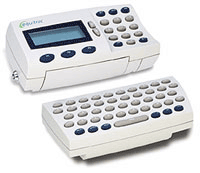
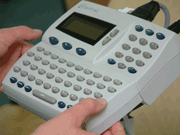
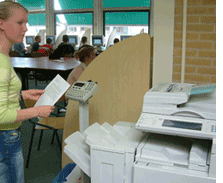 Unveiled at the National Association of Campus Card Users show in March, Equitrac Express 3, includes several new features, such as allowing students to preview their documents and to send their jobs to any “device group” printer. For example, Mr. Wyszkowski explained, a student sends a print job to the system. He is told how much it will cost him. He agrees with the cost (there are several payment methods, including stored value on a card specifically set up for the print program, or through his campus or credit card), okays the job, which is then placed in a print queue. The student can then go to any printer in the “device group” to retrieve his job.
“Express 3 is really focused on allowing different constituencies – student, faculty and staff – to have access to the same device but with different billing requirements depending on who they are,” said Mr. Wyszkowski.
“Our product will work for virtually any size campus. We have a small campus edition, used by small campuses or a single department with a single server. We also have a suite version that’s scalable to large organizations, with multi-server deployments, encompassing campus scenarios with thousands of printers and tens of thousands of users,” he added. He estimates Equitrac solutions are currently in “hundreds of colleges.”
The new version also offers a “significant set of improvements from an IT standpoint. It supports all the major operating systems, Windows, Novell, Unix, Linux, Macintosh. And no matter the type of infrastructure, you can integrate it into your print environment,” he added.
 By enabling campus-wide billing integration, Equitrac’s Express also eliminates the need for separate printers and copiers for students, faculty and staff, allowing schools to more efficiently assign device resources across campus.
Equitrac will also work “with backend campus card solutions. We have an existing interface with Blackboard and we’re investigating adding interfaces for Diebold and CBORD,” he said.
This business has been growing steadily as document production becomes an increasingly larger output at a business or university. “In some organizations, it’s a fariy high expense item. If you can control it and save 25% off your document processing, that can be quite a significant savings,” said Mr. Wyszkowski.

To read about Equitrac’s solutions for higher education on the web, click here.

At the recent National Association of Campus Card Users conference in Orlando, I spoke with several bankers and a number of campus administrators about credit cards. Though far from a scientific study, the conversations suggest to me that the issue of campus cards and credit may be heating up again. In the late 90’s, during the heyday of the affinity credit card expansion, issuers were racing to ink deals with like-minded groups providing cards to group-members that suggested and ‘supported’ the group’s mission. From sports teams to hobbyists, everything was fair game. And college alumni organizations were among the most sought-after categories.
As the signing bonuses and incentive pay provided to major alumni associations grew well into the tens of millions of dollars, the idea of capturing the students before they became alumni (and before the issuer was required to fork over the major dollars) was borne. For years, credit card solicitation tables at events and in student unions were prevalent. But this was a slow churn process and the playing field was level for all issuers. How could one gain massive advantage?
Enter the campus card program … well-established on campus, respected by students and parents, versed in offering/marketing card-based services to campus populations. The fit seemed natural. In addition, card offices were more entrepreneurial than typical campus departments and, almost without exception, they were searching for funds.
Obstacles abound …
When the credit card issuers came calling, however, they quickly found roadblocks that were not encountered in traditional affinity card relationships. A string of emotional, technical, and financial obstacles emerged.
First, a very strong sentiment against ‘institutionally-endorsed’ credit existed among many in the various campus populations. Outspoken students, outraged parents, and gun-shy administrators let it be known that this would not be a hassle-free initiative.
From a technical standpoint, it became clear early on that the issuance of the cards would pose a problem. Most campus card programs required instant issuance so that the student could use the card for essential services (e.g. dorm access, dining, library services) immediately. The major credit brands required that their cards be issued in secure facilities using strictly controlled processes to reduce fraud and counterfeiting. Because students could not wait a week–or even a day—for their ID card, the idea that the actual student ID would double as the credit card took another blow.
Issuers also ran up against financial hurdles. Many administrators stressed that if a credit product was to be issued as a part of the card program, it would have to be available to all students. Credit card issuers, however, use guidelines to restrict the provision of credit to those deemed good candidates for repayment. Students with negative credit ratings did not fit the model, and in many cases, students with no credit rating (arguably the majority of incoming students) would be declined as well.
So what has changed?
The obstacles described above effectively killed the issuance of credit via the campus card in all but a few limited trial programs. Does the current re-emergence of the discussion suggest that times have changed or is it simply talk?
To a certain degree, each of the obstacles still remains though their severities have diminished. Credit is still a ‘dirty word’ to some on campus, though the culture—both on campus and in the country as a whole—seems more tolerant. The staggering statistics regarding student credit card usage show that credit is a fact of life for college students. Perhaps institution-endorsed credit, coupled with mandatory responsible credit education, would be preferable to the current chaotic environment.
The technical issue of instant issuance has been overcome to a large extent as demonstrated by the host of campuses that have successfully deployed Visa and MasterCard branded debit products. Innovative issuers have created mobile secure issuing facilities while others have built processes that issue temporary cards to enable campus functionality while the branded card is processed and mailed. These same solutions could readily apply to credit issuances as well.
Finally, several of the issuers I have spoken with suggest that they understand that 100% acceptance may be required. It has been suggested that a limited-line (e.g. $200) could likely be offered to all individuals with higher lines for those that qualify.
The future campus cards and credit
While it does seem that some of the issues that derailed it in the past may have eased, this is still a thorny issue. What will happen in the coming years? Only time will tell. Certainly a major driver for the inclusion of a credit product from the campus perspective is the potential funding source from up-front and/or ongoing revenue sharing. Card programs continue to seek new sources as pressure to be self-supporting continues to mount. Stay tuned.
Article written by CR80News Editor Chris Corum
You need not look far to find articles and pundits proclaiming a coming revolution in the way people pay for goods and services. And you need not look far from your campus to see examples of this new wave:
What do each of these services have in common? They are each, in their own way, an attempt by a company to convince consumers to choose their payment tool over another. It is the competition for the “front of wallet” position, a term used in the payment industry to describe the idea that the payment card in the front gets used most often and generates the most revenue for the issuer.
Card issuers have competed for “front of wallet” position using a number of strategies over the years: reward programs (e.g. cash back, airline miles, gifts), affinity relationships (e.g. sports teams, associations, universities), and price (e.g. interest rates, fees, balance transfers).
The current battleground of choice seems to be technology. If a card issuer can differentiate an offering with a new technology, such as contactless “tap and go” payment capability, the potential to win new customers and retain existing customers grows. Similarly, if a grocery store chain can convince customers that paying with a fingerprint is more convenient or has some other associated benefit, the chance to build loyalty to the store increases.
What does this mean to a campus card program?
First, be on the lookout. New payment technologies are certain to come to campus. Through the good work of campus programs across the country, our campuses have become known as a fertile testbed for new card and payment-related offerings.
Next, it should remind us of the value and power that our institutions possess because of the relationship we maintain with our students, staff, alumni, and surrounding communities. We can facilitate access to these populations or impede it. We can issue payment devices based solely on the strong, lifelong affinity relationships that grow between students and our institutions. And we create a batch of new relationships each semester as new enrollment occurs.
New technology can be a wonderful thing, and to some extent the research and development component of the university mission suggests a role as a testbed for new products. But most of us are paid to run a business (e.g. a card program, dining services, auxiliary services) rather than conduct research. Thankfully, we can often do both as long as we keep in mind the position of strength that we possess because of the trust and affinity granted to us by the student-to-institution bond.
When it comes to today’s ID card, there is often more than meets the eye. That is because more and more card issuers are turning to visual security elements (VSE) to deter counterfeiting and facilitate card authentication. Elements ranging from micro-printing to holography and morphing imagery to custom laminates are making it increasingly difficult for the bad guys to fake your ID.
Because there are many VSEs and a variety of names for each applied by different suppliers, categorization is helpful. To begin, each VSE can be categorized as either ‘overt’ or ‘covert.’ Then it is helpful to further categorize based on the point in the issuance cycle in which the VSE occurs: pre-issuance or at-issuance.
Overt versus covert VSEs
An overt VSE is used to deter counterfeiting and enable easy card authentication using the naked eye. The most basic overt security element is quality color imaging on the card. This basic process makes a card more difficult to counterfeit but with the advent of low-cost, high quality imaging systems, this is simply not sufficient anymore. More advanced overt VSEs include foil stamps, holograms, and custom overlays (laminates or overlaminates). These techniques are overt because they are obvious to would-be counterfeiters and serve to deter based on the challenge of reproducing these complex items.
A covert security element also functions to deter counterfeiting but is even better suited to enabling accurate card authentication. Covert VSEs are not meant to be obvious but rather hidden from the untrained eye. Covert VSEs include micro-printing (visible only via magnification), hidden UV printing (visible only under an ultra-violet light source), and even purposeful errors (such as a specifically placed typo in a background image).
Pre-issuance versus at-issuance VSEs
Another helpful distinction between VSEs is the point in the issuance cycle in which they occur. Pre-issuance elements occur during the card’s construction and are typically enacted by the card manufacturer. Pre-issuance VSEs include techniques such as embedded holography (placed in the blank plastic card stock) and embedded lithographic printing.
Other VSEs can be enacted at the point of issuance. These ‘at issuance’ techniques typically occur when the unfinished plastic is personalized for the individual cardholder. In other words, they occur inside your card printing system. Many of these elements are built into a laminate or overlaminate that is applied to the card. These can include virtually every technique described in this article as the laminate is created by sophisticated machinery and only applied by an on-site issuance system. Micro-printing, holography, hidden printing, and a host of other options are available. Additionally, foil stamps and adhesive holograms can be applied by hand after the card has been imaged. These inexpensive options add security as they become unusable if removed, rendering both the valid card and any counterfeited card visually apparent.
Selecting VSEs that match your environment and needs
As you can see, there is a wide range of options to help you visually secure a credential. How do you choose what is right for your situation? This is a decision that must be weighed on the ever-present security scale that evaluates the cost versus the acceptable risk. Each VSE adds cost to your issuance and each also alleviates some component of risk. The assets (e.g. people, facilities, intellectual property) you are securing via your card are, in some manner, proportional to the level of risk you are willing to accept.
To achieve the highest possible levels of protection, multiple VSEs can be layered on the card. For example, an overt pre-issuance technique like an embedded hologram can be layered along with an overlaminate that is added at-issuance. Overlaminates frequently contain multiple VSEs such as holograms, micro-printing, and more.
Of course, the techniques described in this article are not the only visual security elements available in the market. Different techniques are constantly in development and cost effective approaches continue to come from progressive suppliers.
Remember that even a small investment in a basic visual security element can greatly enhance your card’s anti-counterfeiting potential. Even an at-issuance, overt VSE like a stick-on foil stamp requires a would-be fraudster to create, purchase, or steal a matching stamp. And it will often be enough to steer him away from your card. Consider employing a VSE with your next card order.
Additional resources:
For a terrific resource on visual security techniques, download the document “Visual Security Solutions” from Fargo by clicking here.
 By Andy Williams, Contributing Editor
A 21-year-old Duke political science major has created a business that utilizes the efficiencies of the DukeCard and the Blackboard Commerce Suite. Garrett Bean, Charleston, SC, says he is about ready to launch his Gourmet Dining and Bakery online ordering system to allow DukeCard users to order meals from five restaurants via the Internet. “I want this out before the semester ends, around May 10,” he said.
“The way our business works,” explained Mr. Bean, “is that students go online to our website. Four of the restaurants they can choose from are new. One (a chain) is a current vendor (of the DukeCard system). The students can click on the restaurants, decide what they want, pay for it with their DukeCard, and submit the order, which is processed in real time.” The order is then delivered to the student by drivers hired by Gourmet Dining.
A signed receipt goes to the DukeCard office, the office deducts its percentage from the order, and sends the remaining funds to Gourmet Dining. Gourmet Dining then takes out its own percentage and sends the remainder to the restaurant. said Mr. Bean. The order itself should be delivered in 30 to 45 minutes.
Where did he get the idea? He was aware of Duke’s Merchant on Points off-campus program. For food orders, students would call the dining office to place the order. It was all phone-based. “It can take a long time, you get put on hold or you can’t get through,” he said. “It’s more efficient with internet orders. You never miss an order and it increases accuracy.”
“Having been a student, I’ve seen other online ordering programs and I thought, ‘Wouldn’t it be nice if you could just order your food online?’ ” said Mr. Bean. “I also wanted to add new restaurants. I saw a need for a different variety.”
 Moving from concept to reality
“I’m always interested in entrepreneurial students,” said Tom Bell, vice president of commerce industry relations for Blackboard. “I said ‘wow’ when I first heard about it. I saw the service he was providing. Students today live on the web. So much of what they do is focused on their PCs. So, this is a very natural extension.”
Mr. Bean said he first came up with the idea in 2002 when he was a freshman. “And we’re still not quite there yet.”
But what he went through could serve as a roadmap to others. “The first challenge was my age,” he said. “I was 19 then. Rather at Duke Dininig or the restaurant, they see someone not 30 or 40. It was just something I had to overcome. I had to dress and speak professionally. We also didn’t have a product yet. I was trying to sell Duke and the restaurant that they were going to make X number of dollars, but I didn’t have anything to show them. It was difficult to share my vision with them.”
He also has had to hire drivers to handle the deliveries. “Since I was only 19 then and talking about a product that didn’t exist, it had to be an all-in-one package,” he said. “We also had to buy new computers for all the restaurants. Being a company that was young and that sort of had a concept that was out there in thin air, we had to have one package that wouldn’t cost the restaurant anything. We supplied them with a Dell computer, a printer, an LED screen. We also developed a proprietary program that runs on the computer, similar to a point-of-sale service” that links the restaurant with the online ordering system, he said.
He found five student inventors willing to put up anywhere from $2,000 to $10,000. Mr. Bean said he put in $10,000 of his own money.
“Insurance and liability issues (for the drivers), creating the web site, and advertising were some of the other issues we had to deal with,” he added. “There were not a whole lot of templates we could look at. For example, the ordering system will support multiple ordering. Students with four or five friends, they can each pay for their order with their own card,” he said.
As to the types of restaurants Mr. Bean said he had access to surveys taken by the Duke University Dining Advisory Committee, “so I knew what kind of restaurants the students wanted.” That included a restaurant specializing in Indian cuisine, barbecue, and an upscale Asian restaurant. “We’re focusing on high quality food but at a reasonable price, below $10,” he said.
Gourmet Dining will get a percentage off every sale. “Order volume is what will make it work,” he added. Students will be paying for convenience though, because the online prices for delivered meals will be about 15% more than published menu prices, said Mr. Bean.
He’s letting students know about the new dining service via newspaper ads, flyers, and emails. “Everyone is more aware of it, now. We’ve even had two articles written about us in the newspaper.”
But it took more than just his idea, investors, a web site and calling on restaurants to make it work. There were two other entities Mr. Dean had to convince: Duke Dining Services and Blackboard.
“We first had to pitch the idea to Duke Dining. Do we have your permission to solicit new restaurants. They were very encouraging about it,” said Mr. Bean. Next on the list was Blackboard, where he received similar encouragement.
“We were thrilled that Blackboard wanted to work with us and that they would let us integrate with their system,” said Mr. Bean. “When I first envisioned the concept, I didn’t even know about Blackboard.”
Support from the DukeCard office moves the concept forward
He also had to pitch Matt Drummond, director of the DukeCard office. “Is it feasible, not feasible, that sort of thing,” said Mr. Bean.
While there were roadblocks to overcome, none of the barriers were created by Duke or Blackboard, added Mr. Dean.
“When Garrett first approached us,” said Mr. Drummond, “we were very interested, because it seemed like a service students were looking for. It sounded like a great opportunity. At the time, Duke didn’t have the resources; and Blackboard didn’t have a food ordering service online.”
Duke’s Merchants On Point program has been around since 1991, said Mr. Drummond. “We’re really excited there was a student group who took a big interest at adding a service and possibly an even better service that would benefit our students.”
Besides the Duke’s 12,000 students (about half whom are undergraduates), the college also has 25,000 employees who can benefit from Gourmet Dining and Bakery.
“We had not looked at online food ordering before,” said Mr. Drummond. “We’ve been processing payments online for telephone bills, cable bills, parking permits, where students can pay in real time using their flexible spending account. The food piece is what’s unique about this.”
Gourmet Dining’s secure transaction from the student will be integrated through the Blackboard Transaction Integration Agent, said Mr. Drummond. “I’ve been advising Garrett how to make secure transactions to our server. Garrett is working to become a certified Blackboard Transaction partner. We’ll set up things in the DukeCard system. When someone orders food from a vendor and provide the pin and card number, the information Garrett sends will meet all the qualifications Blackboard requires,” explained Mr. Drummond.
“We met with Garrett when he pitched the idea. We gave him information on the Points program and some of the things we had in mind with furthering this program, such as potentially using handhelds, swiping cards through a wireless device, so that we would be on the same page. We had our contract people at Duke go over what was involved for him to be a vendor, such as background checks for drivers, and from the DukeCard office, assisting him on contacting Blackboard,” added Mr. Drummond. “We’re excited about this and we’re interested in seeing what the student reaction will be.”
Blackboard provides support
Blackboard, too, is excited. “We can’t wait to see it at work next year,” said Mr. Bell. “There’s been lots of businesses that have started around campus and have connected with us in different ways, but how he (Garrett Bean) started his business is unique. What he is bascially doing is creating a TIA, a transaction interface agent, that will link to the Blackboard service.”
He said Blackboard has “a variety of TIAs with other companies who work with us and provide different services, such as parking companies or book stores. We interface with them in the same way.”
But with Gourmet Dining and Bakery, “I don’t believe this is happening anywhere else. I’ve asked people about whether we interface specifically with any business like this one and we don’t,” said Mr. Bell.
“We treat him like we do any other vendor who wants to work with the campus system. We create a document, agree to the terms, then we work with him in designing a software piece that connects our two systems,” added Mr. Bell. “Duke has been a longtime, wonderful client that has been very creative in many ways. I’m not surprised that more creativity is coming out of Duke.”
Additional resources:
To visit Gourmet Dining and Bakery online, click here.
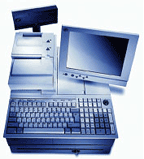 Mountain View, Calif.-based Sequoia Retail Systems was originally servicing college bookstores. As John Diaz, product manager at the company’s Raleigh, N.C. office explained it, the company’s campus customers drove the company to offer more services.
“We started out in the college and university bookstore market. We are an independent service provider not tied to book wholesalers. We handle all aspects of their operations from point of sale, inventory, ordering, and processing purchase orders. But during that time period a lot of our customers liked our technology and started using it in other areas of the university, so we created a new division that focuses on those areas beyond the book store, such as food service, athletics, and the campus card market.”
Sequoia Retail Systems was founded in 1984 by two graduates of the Massachusetts Institute of Technology. Co-founder and company CEO Jim Zaorski, is a 1980 MIT grad with a degree in Mechanical Engineering and a 1983 law degree from Rutgers. Sequoia’s other co-founder and company president is Dean Samos, a 1981 MIT graduate in aeronautics and astronautics and a 1982 masters in the same field from the University of Washington. The company’s chief technology officer, Dave Eisen, who joined Sequoia in 1989, is also an MIT graduate with a degree in mathematics and a Ph.D. in math from Princeton.
A classic entrepreneurial beginning …
“Back in 1984 we had a consulting project. A company wanted us to build an interface board, that instead of having all their SKUs in a cash register they could put them in a PC,” said Mr. Zaorski.
“We took the project on for $4,000, but when we finished the board, we ended up not being paid because the dealer was out of business. So we wanted to get real jobs. We ended up selling 60 of these boards for $1,500 a piece to another cash register dealer and earned $90,000.”
That, he said, was the start of Sequoia’s “little niche. We sold a lot of them to colleges that had lot of books they couldn’t run an item lookup file on. They wanted inventory control and price lookup,” he added.
“At the time technology didn’t exist to produce a scan file,” he said. The memory just wasn’t there. But by putting the memory in the computer, you didn’t have to put the memory in every cash register. It was ideal for college bookstores. We kind of layered onto that product since then with wireless, kiosks, and credit. But we haven’t strayed to far from our original POS system. Of course, we’ve stopped making the boards because everything on a board you can now do with software.”
Sequoia has 45 employees with the corporate office located in Mountain View and branch offices in Raleigh, NC and Portland, OR. The company is employee owned, and has been growing at a rate of 25% for the past three years, said Mr. Diaz, who joined the company 18 months ago after spending 11 years at Duke University.
 Today, said Mr. Diaz, Sequoia specializes in the development of integrated point-of-sale, textbook management, e-commerce, wireless and self-service transaction processing solutions for more than 300 colleges and universities. With interfaces to major campus card systems, banking networks, accounting packages and student information systems, Sequoia’s applications are designed to increase efficiency and accuracy, lower transaction processing costs and provide management information.
“All of our POS solutions are fully integrated with credit, debit card and the campus card. Our POS software can tie those methods of payment into a single payment terminal,” said Mr. Diaz. “We did it in the late 80s and 90s when no one else was doing it and we have grown that level of integration to e-commerce, wireless handhelds, and kiosks.”
Integration with other systems is key to Sequoia’s success
“Our systems interface with major credit card systems including Vital, Global Payments, Paymentech, CARDnet, First Data Merchant Services, Wells Fargo, Novus and National Processing Company,” said Mr. Diaz. “We also provide tools to integrate our products with the campus card systems of Blackboard, Diebold and CBORD as well as student information and accounting systems from vendors such as PeopleSoft, SCT Banner, Navision and MAS 90. When a customer comes up to one of our units and wants to pay, the device will accept all the methods of payment including the campus card and debit card.”
There are four Sequoia components a college can tap: Point of sale, e-commerce online ordering system, wireless handheld applications, and self-service kiosks.
“We have 12 different applications which can run on handhelds, such as in a bookstore for point of sale, to a book buy-back utility,” he said.
In buying back text books, Mr. Diaz said Sequoia has a front-end application “that talks with our database to see the cost of the book and if there’s a need for that book. One thing we did at the University of Maine, is utilize a multi-store buy-back between their different campuses. We could look at one of the other University of Maine campuses to see if they needed that book. Rather then send the books off to a wholesaler, they could handle it internally which saved the school money.”
Sequoia products in action …
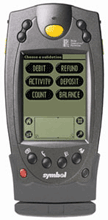
Outside of the bookstore, Sequoia has a wireless POS system “which you can take out to the college’s quad (for special events) to validate ID cards to make sure students don’t go through the line twice,” he added.
A good example of this was reported last year in the Blackboard Connected Campus newsletter. Duke had combined two of its popular spring activities that became a massive outdoor event. The university needed a way to charge food directly to a student’s meal plan through his DukeCard student ID. Duke turned to Sequoia’s wireless handheld devices.
“It saved us tremendously in time and labor. In the past, for a 10 to 5 event like this one, a technician would have started at 7:30 in the morning and not torn down until 6:30 or 7:00 in the evening. Instead, we just showed up 15 minutes beforehand and showed the staff how to use the devices,” Matt Drummond, director of the DukeCard Office, commented in the newsletter.
Another big advantage was an end to off-line, manually processed transactions and the paper lists that had been used at similar events in the past. That also meant greater security and much less chance of fraud.
“We complement Blackboard, allowing them to expand the reach of their program in areas where they don’t have a product in that area,” said Mr. Diaz. “In the case of wireless handhelds, that’s exactly what’s happened. We already had the technology.”
Another example of Sequoia’s wireless application was noted recently in CR80News. Students from Elon University, North Carolina, were able to use their Phoenix Card while attending a basketball game at Duke. Elon students were validated into the game as currently enrolled and were able to use their Phoenix Cash Account to purchase items at the concession stand. All this was accomplished via a Wireless Campus Card Terminal from Sequoia. The DukeCard Office was able to program the device to process real-time transactions against the Phoenix Card Office’s Blackboard Transaction System server via the Duke University wireless network.
 Relying heavily on wireless technologies
He said Sequoia offers more wireless options “than any other vendor in the college and university industry.” Sequoia’s applications suite, called Wireless Partner, “is fully integrated into various system functions such as sales, ordering, receiving, inventory, price check, item inquiry, buy-back, location search, textbook re-ordering, web order fulfillment and general merchandise multi-store transfers.”
With real-time access to campus card systems, credit card networks and student information system data, said Mr. Diaz, “Sequoia’s wireless solutions help to eliminate the need for expensive wiring, improve throughput and increase sales while minimizing invalid and fraudulent transactions.”
Another Sequoia product is its self-service kiosk. “It’s a campus card management center where you can check balances and add funds to your card. Another module gives you the ability to order food, purchase tickets and buy other items on screen. There’s also a module that can be used by visitors to look at campus maps, hours of operation, and other important information. These kiosks can be as feature-rich as the university wants,” said Mr. Diaz.
Of course the biggest advantage to the kiosk is that students and campus staff have 24/7 access to campus services without the need for additional staffing.
Looking to the future
Sequoia currently serves more than 200 schools in the U.S. “We are continuing to expand our applications. We are seeing a lot of interest in food service for kiosks. We’re also doing a lot of work with wireless handheld applications.”
Sequoia is looking to expand on its existing modules. “The colleges are always coming up with great ideas and telling us where they want us to go,” said Mr. Diaz. “Basically, the whole focus of our company is looking at what’s needed and helping our customers reduce their transaction costs.”
Additional resources:
To visit Sequoia on the web, click here.
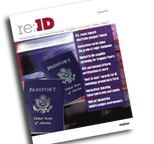 In response to the feedback we’ve received from many of our subscribers and partners, we are proud to announce the premier issue of a new print compilation of AVISIAN ID News. Regarding ID will make its debut on March 15 and will offer a compilation of articles from CR80News, SecureIDNews, ContactlessNews and RFIDNews.
So you probably have a few questions…
“What is it?”
This premier issue will be a 70-page full-color, magazine that follows our tradition of an exceptional blend of style and content. Each of our ID technology publications will contribute editorial content, creating an incredibly well-rounded collection of articles. More than 30 articles will make up this premier issue of Regarding ID, presenting an unprecedented array of great content in one easily referenced publication.
“How can I subscribe?”
This new publication will be offered at an incredibly low subscription rate of just $29 per year. HOWEVER, for a limited time we are offering our online subscribers complimentary subscriptions. That’s right, for a limited time you can sign up to receive this great new information resource for FREE. Just go to the bottom of the email that announced this monthly issue and click on “Change profile/unsubscribe.” Fill-in the fields for your physical address so we can get Regarding ID to you via mail. If you received this from a friend, you can subscribe to our online and printed publications by visiting http://www.mailermailer.com/x?oid=20089g. Hurry, this offer won’t last long.
As we begin another exciting chapter in our company’s history, we want to take a moment and thank all of you who have supported our publications so well. This is an exciting time for our industry and for the AVISIAN Publishing team, and we look forward to serving your identification technology needs for years to come.
Best regards,
Jeff Staples, Publisher
AVISIAN Publications
Take one computer science professor, add another versed in identification card technology, and the result is a university card system that its president calls one of the most secure in the country. And in this world of hackers and ID theft, a highly secure system brings a lot to the table.
“We’re the second oldest company in the business; only one company has been around longer, ” said William Adoff, president of NuVision Networks Corp. (NVN) which is servicing colleges and universities from California to Maine and Minnesota to Florida with its iAMECS Advanced One Card System.
“We are unique in the (student card) industry because our entire business is One Card Systems,” he said. “Other companies may be larger than NVN, but no other company is specifically focused on this market.”
The company got its start 20 years ago when Bob Roth, the CEO, was a consultant working with IDenticard helping to develop an access monitoring control system. He bought the product from IDenticard while he was in Pennsylvania, then moved his new company, called Roth Systems, to Napa, California. What was then called AMECS was the first DOS-based program to be completely icon driven.
At that time, Mr. Adoff was an Auxiliary Services Director at the University of the Sciences in Philadelphia, where he was using the original AMECS system and had developed a working relationship with Mr. Roth. Mr. Adoff later became a computer science professor at Philadelphia University before leaving to join Roth Systems, now called NuVision Networks. Today, the corporate office is in Napa, Mr. Adoff runs the East coast office from New Jersey and the technology area is still in Lebanon, Penn.
“When we first started in this business,” said Mr. Adoff, “a one-card was simply a meal plan program and our customer was food services. Back then systems were used to replace the numbers listed on a paper or a punch card. Today our customer uses iAMECS Advanced for virtually anything on campus that controls money, privileges, access and much more.”
With NuVision’s initial clients coming from the foodservice area of the College, “we knew it would be a better transition for them to use an icon driven system, rather than a DOS system,” he said, explaining what led to the development of AMECS, which stands for Access Monitoring Eligibility and Control System. Once it migrated to the Internet, it became iAMECS.
“We were the first company, to have a Windows product, called WinAMECS. We have always kept AMECS in our name. And when the Internet became popular we became the first company to go there.” Mr. Adoff added: “All system and software development is done in-house. Because top management is comprised of computer science people it would be silly to have our software written by someone else. This is one of the things that sets NVN apart.”
There are other things as well, he said. “We have the only One Card System that uses AES 256-bit encryption along with Packet-Lok, which makes us the most secure system in existence.” This high security extends to all NVN components including wireless, and even vending readers. As a former computer science professor, Mr. Adoff said he understands security. “Since college computer science departments have to teach network basics, anything running on the college system must consider security a must.”
“At NVN, we don’t believe that any college should be forced to change the way they do things for the sake of their One Card System. iAMECS Advanced is built to be modified. We take a vanilla system and make it work for the college the way they need it to work, and we do it without charging extra money,” he said.
NuVision also incorporates internal Video Imaging and ID card production, web portal, and POS software into its One Card System, eliminating the need for third party vendors. It naturally handles meal plans, determining a student’s eligibility, etc., but it also includes accounting, ticketing, general access, voting, equipment checkout and “with our Campus Center products, we even have parking modules and off campus shopping,” he said.
NVN’s off-campus program, Campus Center, has its own features. “We wanted a way for a client to have an off-campus presence without spending any extra money for hardware,” said Mr. Adoff. “A student can order pizza online and have it all done electronically with no additional cost. The business never sees the student’s ID number. The order is faxed in with a picture so they know it’s the right person when they deliver the pizza. We’ll even create a report for the college that shows how much money is owed to the business. What’s nice is that it doesn’t cost anything. It comes with the system. There are no licensing fees. You can make arrangements with one company or a hundred companies to handle the off-campus shopping.”
While NuVision doesn’t directly provide physical and logical access control, a partnership with Compass Technologies, a manufacturer of access control systems, gives it that expertise.
“We decided we didn’t want to write our own access control program, in terms of door access,” said Mr. Adoff. “We went looking for a company with a good product we could work with. We developed interconnections with Compass. We even handle the access levels. To the user it’s seamless, invisible.”
“The strategic partnership with Compass, located in Exton, Penn., allows for a fully integrated “One Card” solution providing both patron accounting and physical access control, said Mr. Adoff. NuVision’s iAMECS Advanced One Card system provides campus data management, accounting, and meal plan control that integrates with Compass Technologies’ campus door access. “Compass’s strong business partner network insures that clients have a local source for the access control portion of the system, which is so essential,” said Mr. Adoff.
This partnership has led to other opportunities. “For example, NuVision is now working with two Pennsylvania colleges to allow students at Haverford College and Bryn Mawr College, both near Philadelphia, to use their student cards at either school, “ said Mr. Adoff.
“We have software-partitioned our data so Bryn Mawr can only administer Bryn Mawr students and Haverford can only administer Haverford students,” he added. “We are the data link between both schools. Bryn Mawr uses PeopleSoft as their student information system and Haverford uses their own in-house system. Further, Bryn Mawr uses our partner, Compass Technology, while Haverford uses a different company. All data flows through us. If, for example, Haverford puts a student on hold, it stops the student’s card from working both at Bryn Mawr and Haverford in our system and both access control systems. We take care of all the data and the data integration. You have two schools, two different student information systems and two different access control companies with all flowing through one system.”
Finally, he added, “We’ve been around a long time. We use that longevity and stability to our advantage; we have a lot of experience in many different areas. We take all those pieces and make them work together.”
This is only the beginning …
The vast majority of our readers know something about personalizing an ID card (some more than they would probably like to admit). In deference to the ubiquity of ID card production, CR80News is beginning a monthly feature called the Card Imaging Corner. Over the next year we will explore a variety of issues and topics related to the design, production, and management of the systems used to issue identification credentials.
Today our Imaging Corner begins with a fundamental question: How do I select a printer for my ID system. Future articles will cover important topics related to ID fraud, identification management, field viability of ID cards and much more. We thank Fargo for sponsoring this corner and supporting our pursuit of unbiased and objective reporting on those issues most important to our CR80News subscribers.
Selecting the ideal ID card printer for your issuance environment
Selecting a specific model of card printer from the host of options can be a daunting task. For campus card programs, this decision is frequently made by the system integrator or the selected provider of the overall campus card platform. But as we always stress in CR80News, as an educated buyer you can better plan and build a system that meets the needs of your specific environment. With this in mind, lets outline a process that can help you understand your options when it comes to ID card printers.
Nearly every printer manufacturer suggests that you ask yourself some key questions. Questions such as:
Because campus cards are among the most used and abused ID cards issued today, many of the basic questions can be answered globally. “Campus card programs need a printer that meet the following minimum standards:
Almost universally, a campus card program will require a printer that meets these criteria. So we can begin to narrow down the list of options from the pool of card printers. Because we need full-color, high quality imaging capability and magnetic stripe encoding, we can eliminate the very basic, highly inexpensive models that produce low dpi, monochrome images. And because we do not require the ability to produce thousands of IDs each day like credit card printers or other ultra high volume issuers, we can eliminate the high priced, high volume stations.
From this base level of requirements, your campuses specific environment and associated needs should be considered to further pinpoint one or more ideal printer models. By answering a series of more advanced questions, the additional functionality needed can be identified.
Do you need to print on both sides of the card at the point of issuance?
Many campuses have the back of their ID cards pre-printed offsite or preprint them onsite ahead of time. Typically, these campuses have static information on their card backs and do not need to customize the back for each individual. Other campuses, however, include unique data (e.g. digitized signature, barcode) on the back of the card. In these cases, a printer that is capable of dual sided printing in a single pass could prove advantageous. For others, it is likely an unnecessary feature.
Do you have technologies (e.g. proximity, smart card, contactless) on the card that need to be encoded/programmed at the time of issuance?
Because nearly every campus requires magnetic stripe encoding, that feature is included in the must-have list above. But many campuses use other technologies on their ID cards. Proximity technology is often used for access control. Often cards come pre-encoded with a unique number already stored in the proximity tag. In other cases, the number is encoded at issuance. The same can be true for contactless and smart card technologies. If any of these technologies is to be encoded at issuance, it may be desirable to have the encoding capability built-in to the printer.
Do you need the ability to print badges of sizes other than CR80?
CR80 or ID-1 is the common term for the standard, credit card sized ID. In some cases, the ability to print larger or smaller badge sizes for conference attendees, room keys, or other specialized needs is desired. For the vast majority, however, the ability to print sizes other than CR80 is not required and need not be a determining factor in the selection of a printer.
How important is ease of use and ease of maintenance to your office?
In recent years, some printer manufacturers have been working to make it easier for users to operate the printer and conduct routine operations and maintenance. LCDs that spell out error messages and maintenance instructions in plain English; cartridges that contain printer ribbons and need only be popped into place; print heads that can be replaced without special tools or training are just a few of examples of such innovations. Ask yourself who will be operating the printer on a day-to-day basis. What level of familiarity will the person or persons have and how comfortable are they performing this type of maintenance. This will help determine how important such ease-of-use qualities are to your environment.
What do you deem to be the acceptable level of service, maintenance, and repair related to the printers?
Take the time to evaluate how a specific printer will be serviced when maintenance or repairs are required. Is onsite service available? If it must be shipped to a service facility, is the location in your country or is it abroad? Will they provide a replacement unit so that you can produce cards in the interim? Have a plan and make sure that the printer you select fits into the plan.
What level of security do you wish to build into your system at the printer level?
Perhaps the most significant new development in the printers centers on the security of the system. With identity theft and card fraud on the rise, some printer manufacturers are adding security features to the printers. Physical locks can secure the hoppers that contain unprinted cards; password protection can keep unauthorized operators from using the printer; time-based access can further restrict when authorized users can print cards. These and other security features can help lock down your badging system and ensure only authorized operators print legitimate cards.
By evaluating these aspects, answering key questions, and finally comparing feature sets to printer costs, you will be well-equipped to select the right printer for your specific environment.